









 Garantía de entrega




SKU/Artículo: AMZ-1944684417
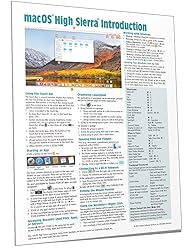
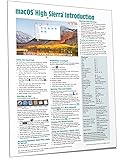
macOS High Sierra Introduction Quick Reference Guide (Cheat Sheet of Instructions, Tips & Shortcuts - Laminated Guide)
Format:
Pamphlet
Detalles del producto
Disponibilidad:
En stock
En stock
Peso con empaque:
0.36 kg
0.36 kg
Devolución:
Sí
Sí
Condición
Nuevo
Nuevo
Producto de:
Amazon
Amazon
Viaja desde
USA
USA
Sobre este producto
- Four page laminated quick reference guide showing step-by-step instructions and shortcuts for how to use macOS High Sierra. Written with Beezix's trademark focus on clarity, accuracy, and the user's perspective, this guide will be a valuable resource to improve your proficiency in using macOS High Sierra. This guide is suitable as a training handout, or simply an easy to use reference guide, for any type of user. The following topics are covered: Using the Touch Bar; Starting an App (a Program); Accessing Recently Used Files, Apps, or Servers; Organizing Launchpad; Opening Files & Folders; Working with Windows; Finding the Mouse Pointer; Using the Secondary/Right Click; Connecting to a Wi-Fi Network. Switching Between Running Apps or Windows; Quitting an App; Quitting a Frozen App; Ejecting Drives, Discs, or Servers; Adding an App to the Dock; Moving the Dock; Hiding the Dock; Using Stacks; Customizing the Menu Bar; Finding Keyboard Shortcuts for Menu Items; Showing the Date and Battery Percentage. Using Dictation; Using Text to Speech; Using Automatic Spelling Correction; Capitalization and Period Shortcuts; Using the Dictionary; Using Special Characters; Setting Text Shortcuts. Taking Screenshots; Using Multiple Displays; Using Spaces (Virtual Desktops); Using the File System: Changing Views, Renaming Files or Folders, Sorting Files and Folders, Previewing Files Using Quicklook, Creating a Folder, Selecting Multiple Items, Moving or Copying Files or Folders, Using Tabs in Finder, Quickly Sharing Files or Folders, Deleting Files or Folders, Compressing Files or Folders, Tagging Files or Folders, Adding/Removing Shortcuts in the Finder Window Sidebar. Converting a File to a PDF; Searching with Spotlight; Using the Virtual Assistant Siri. Using System Preferences (Passwords, Lock Screen Messages, Adding Internet Accounts, Adding Printers, Extensions, iCloud Settings); Using Notifications; Using Fast User Switching. Installing New Apps: Finding and Installing Apps in the App Store; Updating macOS & Purchased Apps; Other App Sources. Ending Your Computer Session. Includes a List of Keyboard Shortcuts, Trackpad Gestures, and links to blog posts for more detailed subjects.
U$S 26,05
44% OFF
U$S 14,47
IMPORTÁ FACIL
Comprando este producto podrás descontar el IVA con tu número de RUT
NO CONSUME FRANQUICIA
Si tu carrito tiene solo libros o CD’s, no consume franquicia y podés comprar hasta U$S 1000 al año.
U$S 26,05
44% OFF
U$S 14,47
 Llega en 11 a 15 días hábiles
con envío
 Tienes garantía de entrega
Compra protegida
Disfruta de una experiencia de compra segura y confiable
![]() Garantía de entrega
Garantía de entrega
Con Tiendamia todas tus compras cuentan con Garantía de Entrega o devolución total de tu dinero.
Compras 100% seguras y garantizadas, para que pidas lo que soñás y lo recibas del mundo a tu puerta.
Saber más.
Tarjetas prepagas, debito, y credito
Paga hasta en 12 cuotas sin interés con tarjetas de crédito.

Visa

Mastercard

American Express

Dinners

Discover

Lider

Midinero

OCA

OCA Blue

Tarjeta PREX
Pagos a través de PayPal
Paga en dólares con Tarjetas internacionales a través de PayPal.

PayPal

