


 Esta súper oferta termina en


 Garantía de entrega




SKU/Artículo: AMZ-B0DLBWXN9C
XTREME
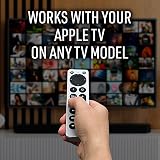
Universal Apple TV Remote Replacement for 1st-5th Generation, Controls TV & Apple TV, Large Buttons
Detalles del producto
Disponibilidad:
En stock
En stock
Peso con empaque:
0.05 kg
0.05 kg
Devolución:
Sí
Sí
Condición
Nuevo
Nuevo
Producto de:
Amazon
Amazon
Viaja desde
USA
USA
Sobre este producto
- Simplify your TV experience with the Xtreme TV Remote Compatible with Apple TV, a universal solution that works with all Apple TV models from Gen 1 to Gen 5. Whether you have an older Apple TV or the latest version, this remote ensures seamless compatibility, making it the perfect replacement for lost or broken remotes. In addition to controlling your Apple TV, it also supports a variety of popular TV brands, allowing you to manage your TV’s power, volume, and other basic functions without the need for multiple remotes. Designed with convenience in mind, this remote features large, easy-to-press buttons that are clearly labeled for quick navigation. The simple interface is ideal for users who prefer an intuitive, straightforward design, providing effortless control over both your Apple TV and TV. Whether you're browsing streaming apps, adjusting the volume, or switching inputs, the spacious button layout ensures you can access all your entertainment options without frustration. One of the best features of the Xtreme Replacement Remote is its easy setup—no complicated programming is required. Simply pair it with your Apple TV or TV, and you're ready to go. The plug-and-play design means you can start using the remote right out of the box, saving you time and effort. Additionally, this remote is built to last, made from durable materials that can withstand regular use, making it a reliable option for daily control of your Apple TV and TV. Despite its large buttons, the Xtreme Replacement Remote remains compact and lightweight, fitting comfortably in your hand. Its ergonomic design ensures ease of use, even during extended viewing sessions. Whether you’re replacing a lost remote or looking for a more user-friendly option, the Xtreme TV Remote is the ideal solution for controlling your Apple TV and television with ease and reliability. Pairing Instructions: With the remote control about 6 ft away from the TV, press and hold the TV power button to automatically search until the volume symbol appears on the TV. Release the power button immediately. This search may take up to 3 minutes. If there is a pairing failure, please repeat steps until pairing is complete
U$S 9,99
IMPORTÁ FACIL
Comprando este producto podrás descontar el IVA con tu número de RUT
★ AHORA EN FRANQUICIA
U$S 9,99
 Llega en 5 a 11 días hábiles
con envío
 Tienes garantía de entrega
Este producto viaja
de USA ![]() a tus manos en
a tus manos en
![]()
 a tus manos en

Conoce más detalles
Universal Compatibility: This replacement remote is compatible with all generations of Apple TV, from Gen 1 to Gen 5, making it a versatile option for any Apple TV owner. It also supports various popular TV brands, allowing you to control both your Apple TV and television with one device. Large, Easy-to-Use Buttons: Featuring large, clearly labeled buttons, this remote is designed for ease of use, especially for those who prefer a simpler interface. The spacious button layout ensures quick navigation and control over your Apple TV and TV functions. No Programming Needed: Simply pair the remote with your Apple TV or TV without the hassle of complicated programming. The plug-and-play design ensures easy setup, so you can start using your replacement remote right out of the box. Durable & Long-Lasting: Built for everyday use, the Xtreme Replacement Remote is made from durable materials to withstand constant handling. Whether you’re streaming, adjusting volume, or switching channels, this remote is built to last. Compact & Lightweight Design: Despite its large buttons, the remote remains compact and lightweight, making it easy to handle and store. Its ergonomic design ensures comfortable use, even during long viewing sessions. Pairing Instructions: With the remote control about 6 ft away from the TV, press and hold the TV power button to automatically search until the volume symbol appears on the TV. Release the power button immediately. This search may take up to 3 minutes. If there is a pairing failure, please repeat steps until pairing is complete
Compra protegida
Disfruta de una experiencia de compra segura y confiable
![]() Garantía de entrega
Garantía de entrega
Con Tiendamia todas tus compras cuentan con Garantía de Entrega o devolución total de tu dinero.
Compras 100% seguras y garantizadas, para que pidas lo que soñás y lo recibas del mundo a tu puerta.
Saber más.
Tarjetas prepagas, debito, y credito
Paga hasta en 12 cuotas sin interés con tarjetas de crédito.

Visa

Mastercard

American Express

Dinners

Discover

Lider

Midinero

OCA

OCA Blue

Tarjeta PREX
Pagos a través de PayPal
Paga en dólares con Tarjetas internacionales a través de PayPal.

PayPal

