


 Garantía de entrega





SKU/Artículo: AMZ-B0DMVCDKJJ
PUPINGPIG
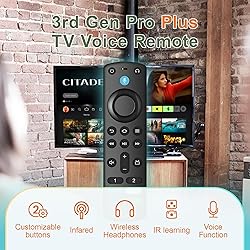
Replacement Remote Control Compatible with Fire Smart TV Stick & TVs Cube, for Insignia TV FireStick Remote (2nd Gen/3rd Gen/4K/Lite/4K Max) with Voice Control
Style:
3rd Gen pro plus
Detalles del producto
Disponibilidad:
En stock
En stock
Peso con empaque:
0.36 kg
0.36 kg
Devolución:
No
No
Condición
Nuevo
Nuevo
Producto de:
Amazon
Amazon
Viaja desde
USA
USA
Sobre este producto
- Information: Specification: Material:Plastic Battery Type:2 AAA batteries (Not included) Compatible with : Smart TVs Cube (3rd Generation) Smart TVsCube (2nd Generation) Smart TVs Cube (1st Generation) Smart TVs Stick 4K Max (1st Generation) Smart TVs Stick 4K (2nd Generation) Smart TVs Stick 4K (1st Generation) Smart TVs Stick (3rd Generation) Smart TVs Stick (2nd Generation) Smart TVs Stick Lite Smart TVs (3rd Generation) Not compatible with : Smart TVs (1st Gen) Smart TVs (2nd Gen) Smart TVs Stick (1st Gen) Smart TVs Edition smart TVs Package list: 1 * User Manual 1 * Replacement Remote Control How to Pair? Press the Home button about 10-15 seconds until the LED indicator starts to rapidly flash, then waiting about 30-60 seconds (Entering Pairing mode, LED Flash), then your remote will automatically pair with your device.
U$S 14,17
44% OFF
U$S 7,87
IMPORTÁ FACIL
Comprando este producto podrás descontar el IVA con tu número de RUT
U$S 14,17
44% OFF
U$S 7,87
 Llega en 25 o más días hábiles
con envío
 Tienes garantía de entrega
Conoce más detalles
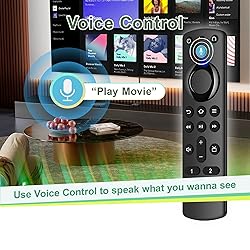
Compatible With - The remote control fit for AMZ Smart TVs 3rd Gen, TV Stick (2nd Gen and 3rd Gen), TV Stick 4K (1st gen/2nd gen), TV Stick Lite, TV Stick 4K Max (1st gen), AMZ Smart TVs Cube(1st Gen/2nd Gen/3rd Gen), Compatible With Insignia/Pioneer/Smart TV Not Compatible With - This replacemenet remote control not compatible with AMZ Smart TVs (1st gen/2nd gen), Not fit for AMZ TVs stick (1st gen). Please make sure your device model fit our remote before place an order Voice Function - Use Voice Function directly to find anything you want by voice,such as weather forecast, music, movies, etc. NOTE: Reset the voice remote when it doesn't work Easy To Pairing - Please note: Pair before use,press the Home button about 10-15 seconds,the indicator LED will slowly flash amber for 10 seconds,then flash faster when your remote is ready to connect What You Get: 1* Remote Control(2 AAA batteries not included),1* User Manual. Notice: Please make sure your old remote's batteries are removed before pair
Compra protegida
Disfruta de una experiencia de compra segura y confiable
![]() Garantía de entrega
Garantía de entrega
Con Tiendamia todas tus compras cuentan con Garantía de Entrega o devolución total de tu dinero.
Compras 100% seguras y garantizadas, para que pidas lo que soñás y lo recibas del mundo a tu puerta.
Saber más.
Tarjetas prepagas, debito, y credito
Paga hasta en 12 cuotas sin interés con tarjetas de crédito.

Visa

Mastercard

American Express

Dinners

Discover

Lider

Midinero

OCA

OCA Blue

Tarjeta PREX
Pagos a través de PayPal
Paga en dólares con Tarjetas internacionales a través de PayPal.

PayPal

