




 Garantía de entrega











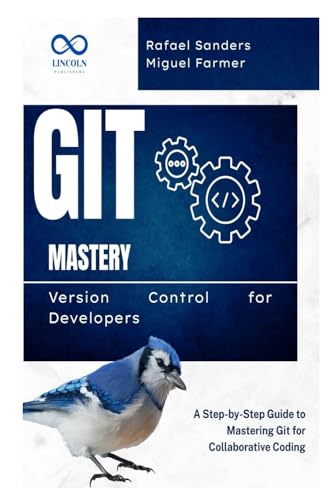
Git Mastery Version Control for Developers: A Step-by-Step Guide to Mastering Git for Collaborative Coding
Disponibilidad:
Fuera de stock
Fuera de stock
Peso con empaque:
0.74 kg
0.74 kg
Devolución:
No
No
Condición
Nuevo
Nuevo
Producto de:
Amazon
Amazon
Sobre este producto
- Introduction to Git and Version Control: Understand what version control is and why it's crucial for software development. Learn the basics of Git and how it differs from other version control systems like Subversion (SVN) and Mercurial.
- Setting Up Git: Learn how to install Git on your local machine and configure it with your identity. Set up your first repository and understand the fundamental Git configuration commands.
- Basic Git Commands: Master the essential Git commands for tracking changes, such as git init, git clone, git add, git commit, and git status. Learn how to track changes and maintain the integrity of your codebase.
- Working with Branches: Learn how to create and manage branches in Git. Understand how to work with Git's branching model to isolate features, bug fixes, and experiments, allowing you to keep the main codebase stable.
- Merging and Resolving Conflicts: Master the art of merging branches and resolving merge conflicts in Git. Learn best practices for conflict resolution and how to ensure smooth integration when working with a team.
- Working with Remote Repositories: Discover how to work with remote repositories, such as those hosted on GitHub, GitLab, or Bitbucket. Learn how to clone remote repositories, push and pull changes, and collaborate with team members effectively.
- Git Workflow for Collaborative Projects: Learn the Git workflows commonly used in collaborative development, such as Git Flow, GitHub Flow, and forking workflows. Understand how to use pull requests and manage code review processes.
- Rebasing vs Merging: Understand the difference between rebasing and merging branches in Git, and learn when and how to use each method to maintain a clean project history.
- Stashing Changes: Learn how to use Git’s stash feature to temporarily save changes without committing them. Discover how to apply stashed changes back to your working directory and manage multiple stashes.
- Security and Best Practices in Git: Understand Git security best practices, including how to manage sensitive data, create SSH keys, and use signed commits. Learn how to avoid common pitfalls and follow Git best practices in a collaborative environment.
- Integrating Git with Other Tools: Learn how to integrate Git with other development tools, such as continuous integration/continuous deployment (CI/CD) systems, issue trackers, and project management tools, to improve your overall development workflow.
- Backup and Recovery with Git: Learn how to back up your repository, recover lost commits, and restore branches. Understand how to use Git’s reflog and recovery options to safeguard your codebase.

Fuera de stock
Selecciona otra opción o busca otro producto.
Este producto viaja
de USA ![]() a tus manos en
a tus manos en
![]()
 a tus manos en

Compra protegida
Disfruta de una experiencia de compra segura y confiable
![]() Garantía de entrega
Garantía de entrega
Con Tiendamia todas tus compras cuentan con Garantía de Entrega o devolución total de tu dinero.
Compras 100% seguras y garantizadas, para que pidas lo que soñás y lo recibas del mundo a tu puerta.
Saber más.
Tarjetas prepagas, debito, y credito
Paga hasta en 12 cuotas sin interés con tarjetas de crédito.

Visa

Mastercard

American Express

Dinners

Discover

Lider

Midinero

OCA

OCA Blue

Tarjeta PREX
Pagos a través de PayPal
Paga en dólares con Tarjetas internacionales a través de PayPal.

PayPal

 Tienes garantía de entrega