


 Garantía de entrega




SKU/Artículo: AMZ-B0F6JLGML5
ZWP
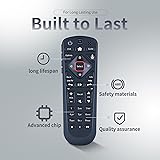
ZWP Replacement Voice Remote Control Compatible for Dish Network 54.0 UHF
Detalles del producto
Disponibilidad:
En stock
En stock
Peso con empaque:
0.36 kg
0.36 kg
Devolución:
Sí
Sí
Condición
Nuevo
Nuevo
Producto de:
Amazon
Amazon
Viaja desde
USA
USA
Sobre este producto
- 【Turn On Your Remote】:Open the front panel of your receiver, and press the SYS INFO button Press the SAT button on the side of the remote control, You will hear three beeps from the remote control, indicating it has paired with your receiver 【Pair Your Remote】:1 Press the home button twice,2 Select Settings and then Remote Control,3 Select TV and then TV Pairing Wizard,4 Follow the prompts,5 You can also pair your remote with an Auxiliary Device such as a Blu-ray player or stereo 【Unpairing method】: 1. Press and hold the SAT button on the side of the remote control. After 3 seconds, the indicator light flashes. Release the keys. 2. Press and hold the "Home" button and "Guide" at the same time, after 3 seconds, the buzzer will beep three times. Release the keys.If the remote cannot be connected, please unpair first. Then try to pair it with your device.
U$S 41,18
44% OFF
U$S 22,88
IMPORTÁ FACIL
Comprando este producto podrás descontar el IVA con tu número de RUT
U$S 41,18
44% OFF
U$S 22,88
 Llega en 5 a 11 días hábiles
con envío
 Tienes garantía de entrega
Conoce más detalles
Compatible with Dish Network 54.0 UHF 【Turn On Your Remote】:Open the front panel of your receiver, and press the SYS INFO button Press the SAT button on the side of the remote control, You will hear three beeps from the remote control, indicating it has paired with your receiver 【Pair Your Remote】:1 Press the home button twice,2 Select Settings and then Remote Control,3 Select TV and then TV Pairing Wizard,4 Follow the prompts,5 You can also pair your remote with an Auxiliary Device such as a Blu-ray player or stereo 【Unpairing method】: 1. Press and hold the SAT button on the side of the remote control. After 3 seconds, the indicator light flashes. Release the keys. 2. Press and hold the "Home" button and "Guide" at the same time, after 3 seconds, the buzzer will beep three times. Release the keys.If the remote cannot be connected, please unpair first. Then try to pair it with your device. Any question, Please do not hesitate to contact us before leaving Feedback, We will help you resolve it, Thank you.
Compra protegida
Disfruta de una experiencia de compra segura y confiable
![]() Garantía de entrega
Garantía de entrega
Con Tiendamia todas tus compras cuentan con Garantía de Entrega o devolución total de tu dinero.
Compras 100% seguras y garantizadas, para que pidas lo que soñás y lo recibas del mundo a tu puerta.
Saber más.
Tarjetas prepagas, debito, y credito
Paga hasta en 12 cuotas sin interés con tarjetas de crédito.

Visa

Mastercard

American Express

Dinners

Discover

Lider

Midinero

OCA

OCA Blue

Tarjeta PREX
Pagos a través de PayPal
Paga en dólares con Tarjetas internacionales a través de PayPal.

PayPal

