






 Garantía de entrega




SKU/Artículo: AMZ-B0GK2R8DMC
PICKUTS
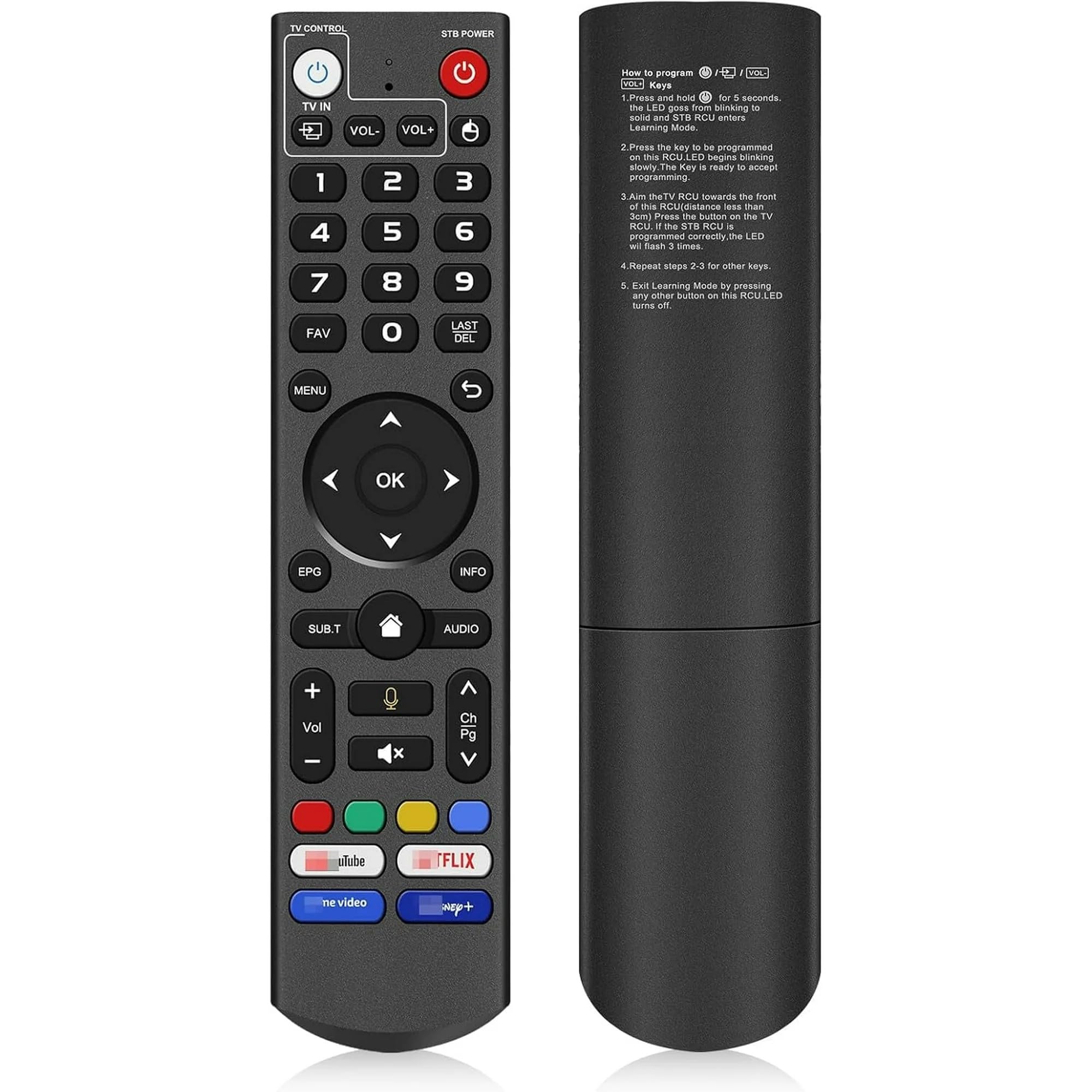
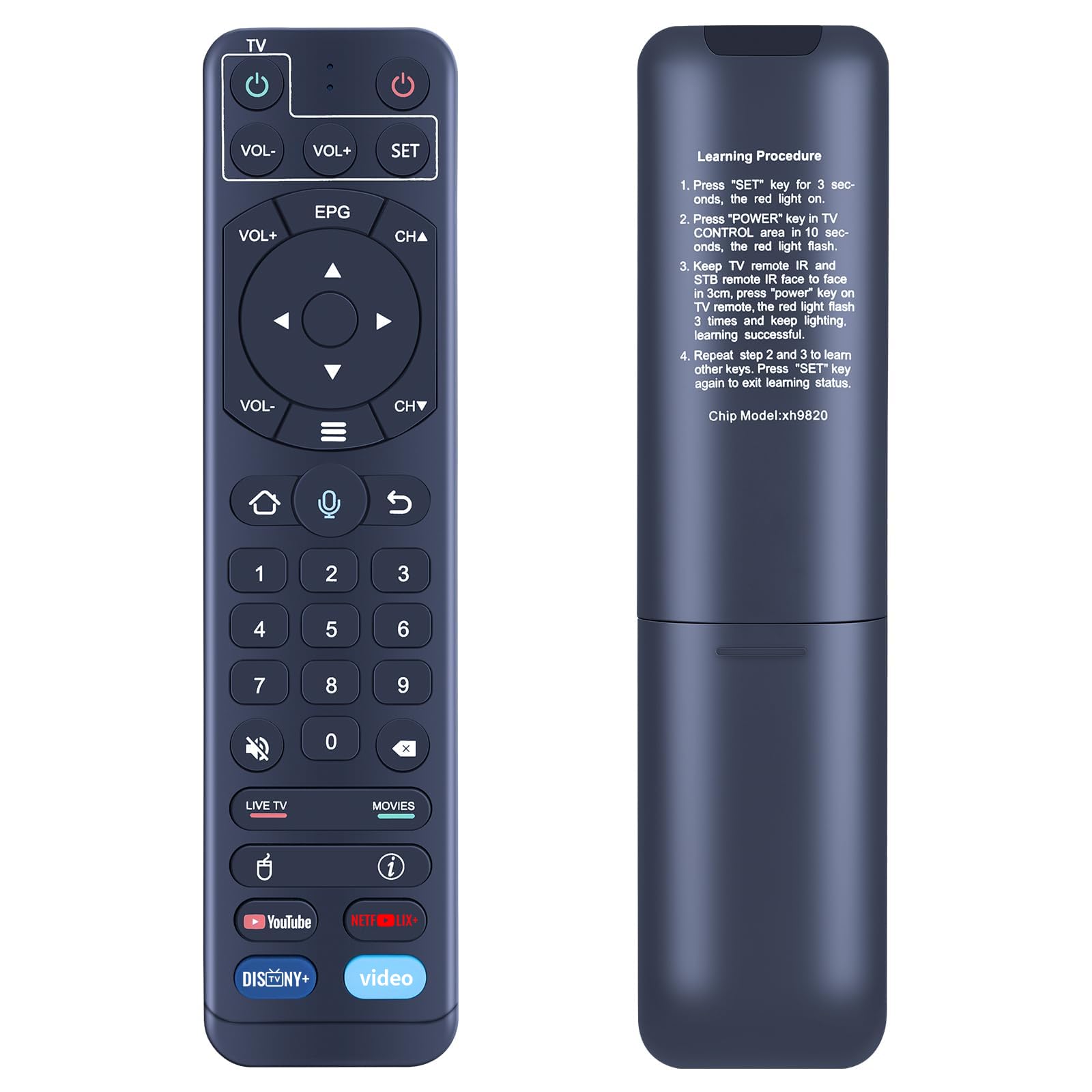
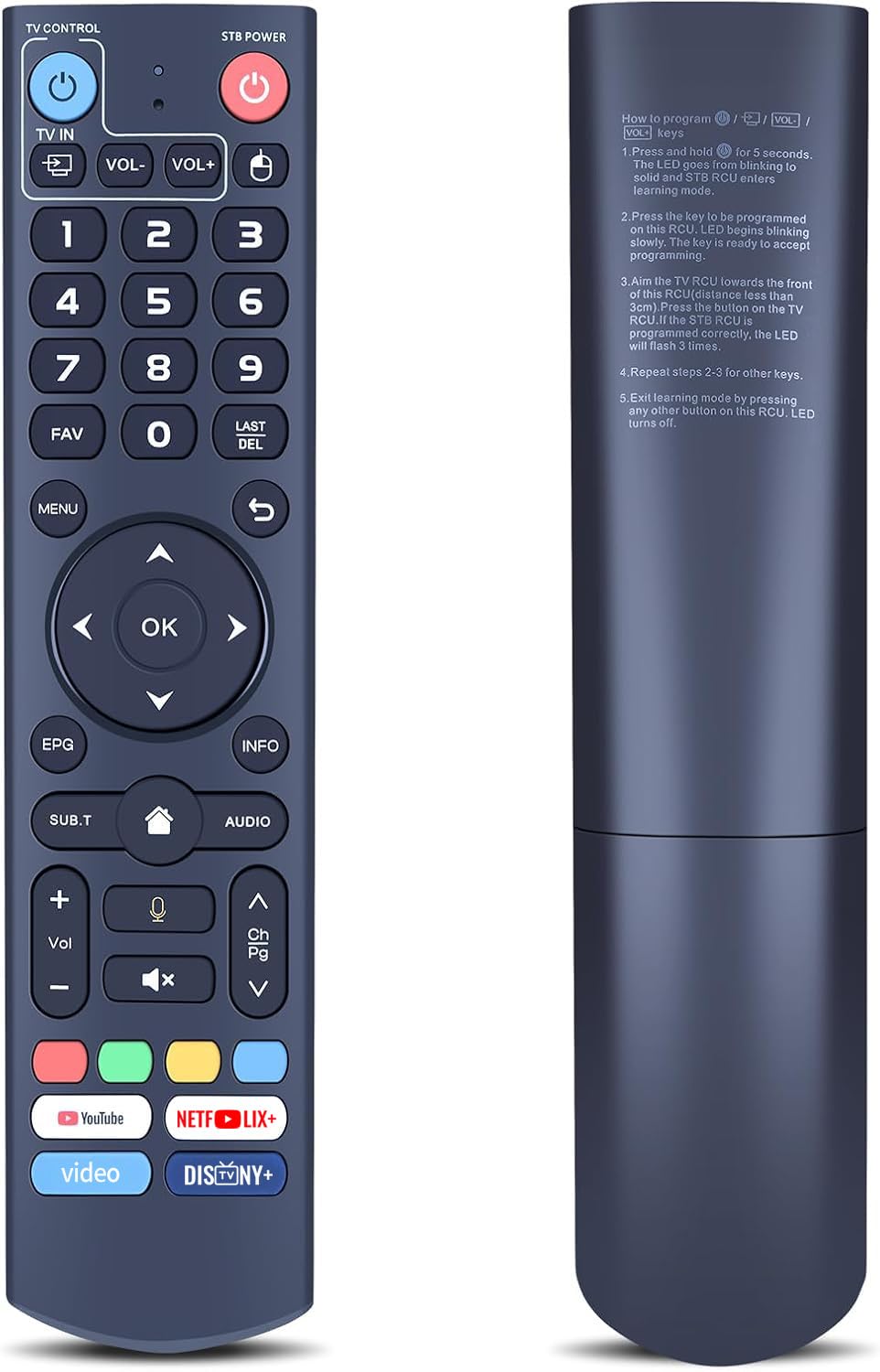
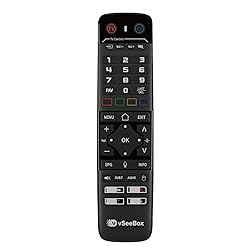
VSeeBox V6 max Remote Control Replacement Android TV Box Smart Bluetooth Voice Command Backlit
Detalles del producto
Disponibilidad:
Fuera de stock
Fuera de stock
Peso con empaque:
0.36 kg
0.36 kg
Devolución:
No
No
Condición
Nuevo
Nuevo
Producto de:
Amazon
Amazon
Viaja desde
USA
USA
Sobre este producto
- Enhance your home entertainment setup with this replacement remote control, engineered specifically for the VSeeBox V6 max system. Designed as a practical solution for lost or damaged accessories, this remote delivers consistent functionality to keep your viewing experience uninterrupted.

Fuera de stock
Selecciona otra opción o busca otro producto.
Conoce más detalles
How to program: 1.Press and hold [TV POWER] for 6 seconds. The LED goes from blinking to solid and STB RCU enters learning mode. 2.Press the key to be programmed on this RCU LED begins blinking slowly. The key is ready to accept programming 3.Aim the TV RCU towards the front of this RCU (distance less than 3 cm). Press the button on the TV RCU.If the STB RCU is programmed correctly, the LED will flash 3 times. 4. Repeat steps 1-3 for other keys. 5. Exit learning mode by pressing any other button on this RCU.LED turns off Designed for vSeeBox V6 max:This replacement remote control is specifically tailored to integrate with your vSeeBox V6 max system, providing a versatile solution for your home entertainment needs Bluetooth Function:With built - in Bluetooth, it can quickly pair with TV boxes. Bid farewell to long - waiting connection processes Voice Control:With voice fountion.Switch channels, adjust volume, search movies by voice Compatibility Note: Designed for specific vSeeBox v6 max models. Buyers are advised to verify device compatibility prior to purchase
Compra protegida
Disfruta de una experiencia de compra segura y confiable
![]() Garantía de entrega
Garantía de entrega
Con Tiendamia todas tus compras cuentan con Garantía de Entrega o devolución total de tu dinero.
Compras 100% seguras y garantizadas, para que pidas lo que soñás y lo recibas del mundo a tu puerta.
Saber más.
Tarjetas prepagas, debito, y credito
Paga hasta en 12 cuotas sin interés con tarjetas de crédito.

Visa

Mastercard

American Express

Dinners

Discover

Lider

Midinero

OCA

OCA Blue

Tarjeta PREX
Pagos a través de PayPal
Paga en dólares con Tarjetas internacionales a través de PayPal.

PayPal

 Tienes garantía de entrega