


 Garantía de entrega



SKU/Artículo: MKT-641599_7F17E499
TSEPOSY
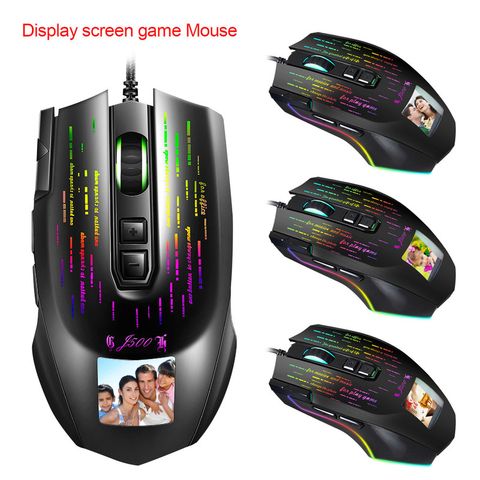
J500 display gaming macro mouse multi-language driver can be set freely picture
Color Electronics:
Black
Compatible Device:
Smartphones
Detalles del producto
Disponibilidad:
En stock
En stock
Peso con empaque:
0.38 kg
0.38 kg
Devolución:
No
No
Condición
Refurbished
Refurbished
Producto de:
Vendedor Verificado
Vendedor Verificado
Viaja desde
China
China
Sobre este producto
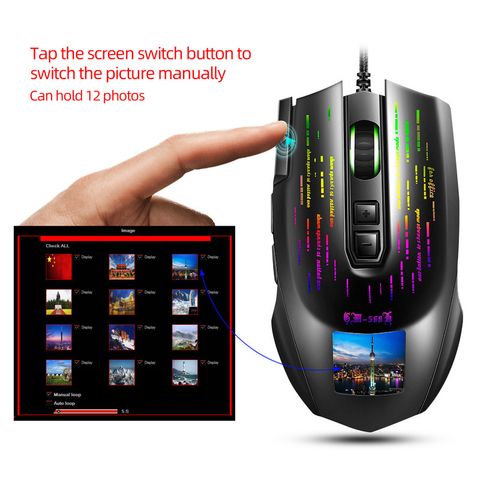
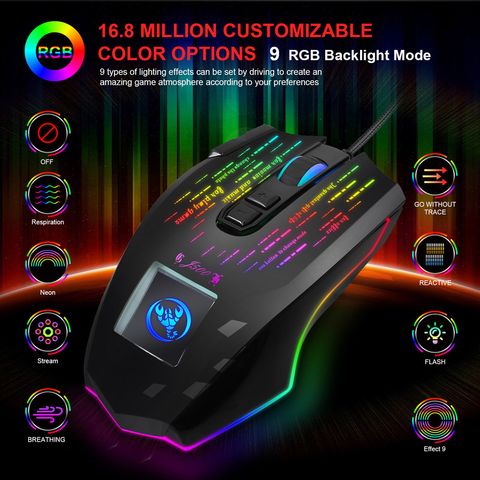
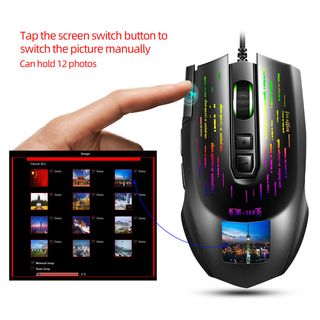
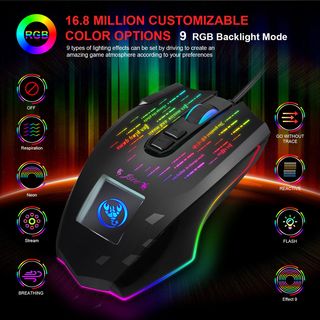
- Features: 1:Personalized photo setting, can accommodate 12 photos, you can click the screen switch button to manually switch the image. 2:Adopt professional Pixart 3325 esports game engine, stable transmission, accurate analysis. It provides RGB backlight modes for you to choose freely, provides colorful visual effect,Can provide any light settings you want. 3: It supports adjustable 1000/2000/2600/4000/6000/10000DPI to meet a variety of needs, maximum 6400DPI provides high precision, stable transmission and accurate analysis. 4: It provides three modes-office mode, multimedia mode and game mode, you can switch freely to meet your needs. 5: Ergonomic design brings comfortable hand feel, fits the palm, long-time use without fatigue. 6: Powered by USB, plug and play, no driver required, convenient to use. 7: Widely used in E-sport game, daily office work, home use. 8: Compatible with Windows 2000/XP/Win7/Win8/Win10/Vista 32bit/iOS or latest.
U$S 387,63
60% OFF
U$S 155,05
IMPORTÁ FACIL
Comprando este producto podrás descontar el IVA con tu número de RUT
U$S 387,63
60% OFF
U$S 155,05
 Llega en 20 a 30 días hábiles
con envío
 Tienes garantía de entrega
Conoce más detalles
Specification: Item name: Display Wired macro programming gaming mouse Brand/Model: HXSJ/J500 Color: Black Product interface: USB Lighting: RGB full-color lighting. Rated voltage / current: DC 5V / 100mA DPI: 1000-2000-3000-4000-6000-10000 LCD resolution: 240 * 240 full color(Change the picture and import the picture through software macro programming) Acceleration: 30G. Switch life: 20 million cycle Cable length: Approx.180cm Net weight of mouse: 152.3g Mouse size: 12.2 * 6.9 * 4cm Package weight: 230g Packing size 17.5X11.6X5.3 cm Packing list: 1 * Mouse 1 * User manual Note: For all personalized settings, you need to find the seller to provide the download address of the macro programming software and download the software. Only in this way can we set more mouse functions and pictures. How to use: 1. Download the driver, please contach customer service, download it online. 2. When the mouse is sccesully connected and used nomally, the islalation can be started. 3. Ater the niallation is complete, the“J500* drive icon will appear on the desktop. 4. HS 1008 Master chip, using high-perormance program control decoder chip for smooh motion and precise control. 5. key assigment1/2/3: For the 1-9 buttons (as shown in the figure), the drive supports custom setings. 6."MACRO": Click the button to enter the macro definition sttings 7.Click“ADVANCED" : default 1000-2000-3000-4000-6000-10000 the Six-segment DPI value can be any section. 8. Click "LIGHTING": button to enter the setting of ambient lighting(9 RGB light efcts can be set by driving) 9. Click "LANGUAGE": button to enter the language seting, provided by this software 9 languages are available. 10. Personalized sttings: Click the picture icon to enter the picture stting interface. Click "Load" to upload the piture from the computer to the mouse display. 11. When the sttings are complete, click Applications and then click Save Configuration. You should start the driver again the next time you use it so that you can use all customizationsFeatures.
Compra protegida
Disfruta de una experiencia de compra segura y confiable
![]() Garantía de entrega
Garantía de entrega
Con Tiendamia todas tus compras cuentan con Garantía de Entrega o devolución total de tu dinero.
Compras 100% seguras y garantizadas, para que pidas lo que soñás y lo recibas del mundo a tu puerta.
Saber más.
Tarjetas prepagas, debito, y credito
Paga hasta en 12 cuotas sin interés con tarjetas de crédito.

Visa

Mastercard

American Express

Dinners

Discover

Lider

Midinero

OCA

OCA Blue

Tarjeta PREX
Pagos a través de PayPal
Paga en dólares con Tarjetas internacionales a través de PayPal.

PayPal

