




 Garantía de entrega






Hikity
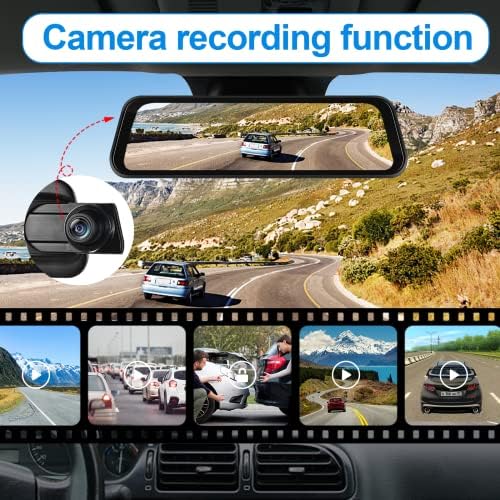
2.5K Rear View Mirror Dash Cam Backup Camera,in-Mirror Smart 9.66 Inch IPS Touch Screen Front&Rear Mirror Camera,Car Players Wireless CarPlay&Android Auto for Cars Trucks,Parking Monitoring,64GB Card
Style:
9.66 Inch+Backup Ccamera+64G TF


Disponibilidad:
En stock
En stock
Peso con empaque:
1.08 kg
1.08 kg
Devolución:
Sí
Sí
Condición
Nuevo
Nuevo
Producto de:
Amazon
Amazon
Sobre este producto
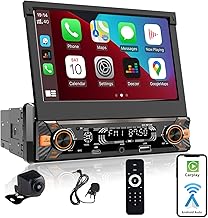
- Mirror Dashcam with Carplay Wireless: Apple play rear view mirror camera for car provides a safer way to use your phones in the cars, you can access phone maps, messages, music, videos, and more. Compatible with Google_Assistant and Siri voice control, super convenient
- 9.66 Inch Carplay Dash Cam Rear View Mirror: 9.66 Inch IPS 2.5D curved glass touch screen and anti-glare processing, this rear view mirror carplay camera will provide you comfortable view experience even in the sun or the glare of the night
- 2.5K Mirror Dash Cam Front and Rear Camera: 150° front and 120° rear lens records more detailed drive video, wider angle rear view mirror dash cam helps avoid blind spots. Swipe up and down to adjust the view, and swipe left and right to change the view of the front and back lenses
- 2 Channel Bluetooth Rear View Mirror Camera: The front and rear road conditions can be displayed on the screen simultaneously. This wireless android auto rear view mirror camera can be adjusted the display range up and down while driving or reversing to achieve the best view
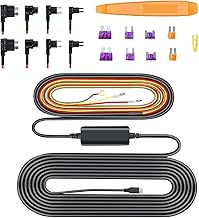
- 24h Parking Monitoring: After parking your car, turn on this carplay mirror dash cam in the parking state, when something or someone detects or passes by the car, this car dash cam wireless apple carplay will turn on automatically and record a small video clip. Note: the parking monitor cable is not included
- Driving Recording: The mirror dash camera comes with a free 64G TF card, supports driving recording and playback of video in anytime to view. When TF card is inserted, the mirror camera can automatically start recording images of the surrounding area of the vehicle. This information may serve as important evidence in the event of an accident
- MATTERS NEED ATTENTION: if it does not turn on, no sound,or any concerns, including installation and use:Step 1: Click "Hikity Tech" Step 2: Click "Ask question" Step 3: Please send us pictures or videos of the technical or installation questions you met. No robotic scripts—just your dedicated support agent ready to assist. Because even the smartest tech deserves a human touch
U$S 158,38
55% OFF
U$S 71,99
IMPORTÁ FACIL
Comprando este producto podrás descontar el IVA con tu número de RUT
U$S 158,38
55% OFF
U$S 71,99
Llega en 5 a 11 días hábiles
con envío
 Tienes garantía de entrega
Este producto viaja
de USA ![]() a tus manos en
a tus manos en
![]()
 a tus manos en


Compra protegida
Disfruta de una experiencia de compra segura y confiable
![]() Garantía de entrega
Garantía de entrega
Con Tiendamia todas tus compras cuentan con Garantía de Entrega o devolución total de tu dinero.
Compras 100% seguras y garantizadas, para que pidas lo que soñás y lo recibas del mundo a tu puerta.
Saber más.
Tarjetas prepagas, debito, y credito
Paga hasta en 12 cuotas sin interés con tarjetas de crédito.

Visa

Mastercard

American Express

Dinners

Discover

Lider

Midinero

OCA

OCA Blue

Tarjeta PREX
Pagos a través de PayPal
Paga en dólares con Tarjetas internacionales a través de PayPal.

PayPal

